Flipshare for Android
Develop a custom Android user interface for the Flipshare platform.
At a glance
- Company
Flip Video
2009 – 2010
- Role
UX Designer
- Team
Reported to Cisco's principal UX designer, and worked with a product manager to review requirements.
- Responsibilities
I worked on interaction design and concept design.
- Goal
Develop a user interface custom-built for Android.
- Outcome
For the Android app for Flipshare, I designed screens for downloading, sharing, and viewing videos. The first drawer feature for the Android phone. Visualized aspects of how the application works to communicate clearly within the team.
Before our mobile phones had video, there was a booming company called Flip. These tiny devices were the size of a cigarette box and could plug into your laptop to download photos to share. Flipshare was the software application that enabled you to share and favorite your videos. I joined the team to design the Android app that would sync with the desktop app.
Working wtih the Android Phone
The Android had a trackball and hardware buttons which, at first, felt like an extra flipper when you play pinball. It added another element to pay attention to. I began by auditing the existing app and competing apps, then documented the system we were working with.
Designing for the way people share
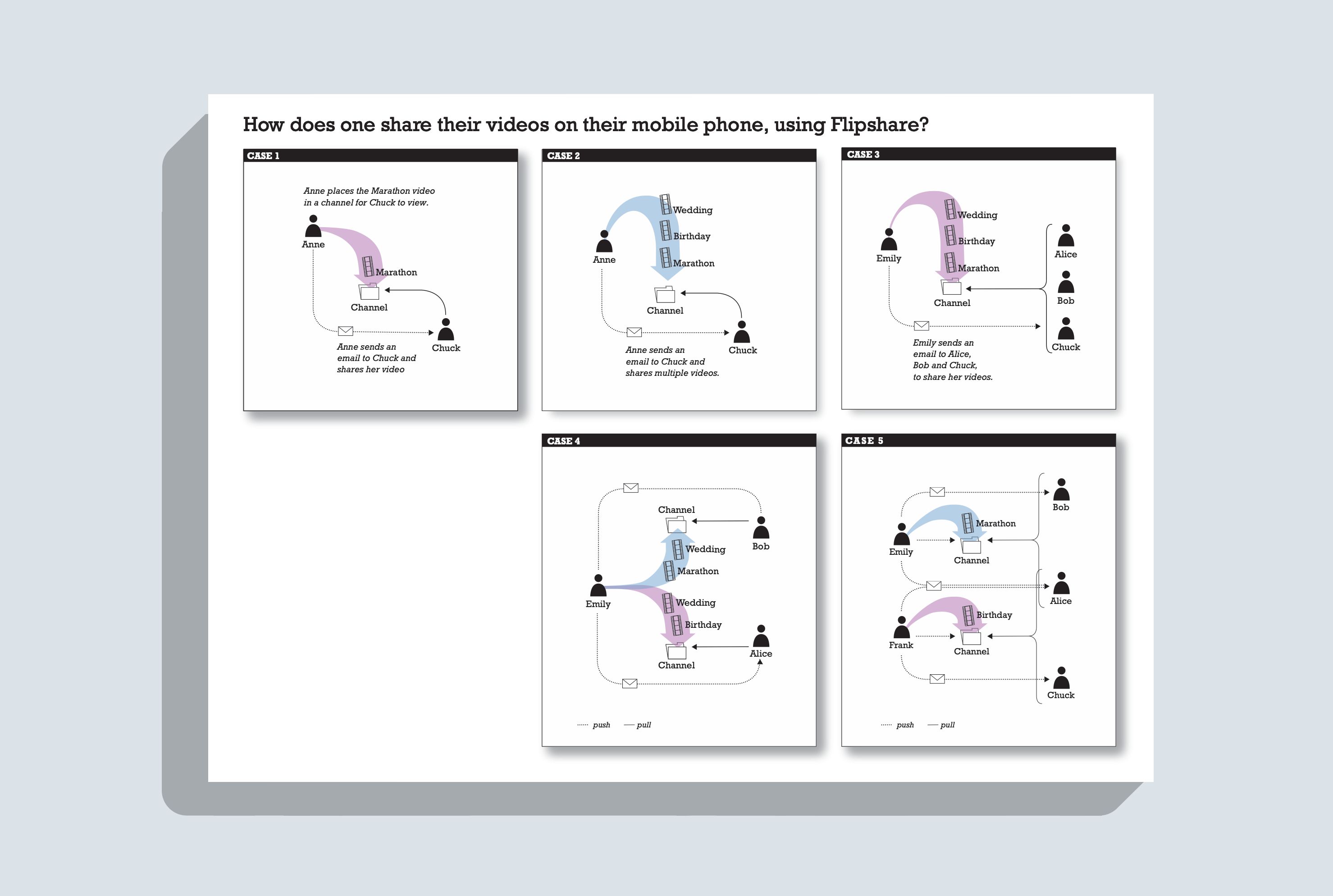
My goal was an app that felt native to Android and made sharing video simple. How might we let people download, share, and view video with a few taps or a trackball roll? Interviews shaped the use-case diagrams of the "channel" sharing system, which helped the team discuss it clearly. I designed screens for favoriting, downloading, sharing, adding to a playlist, and viewing video.
A drawer of actions
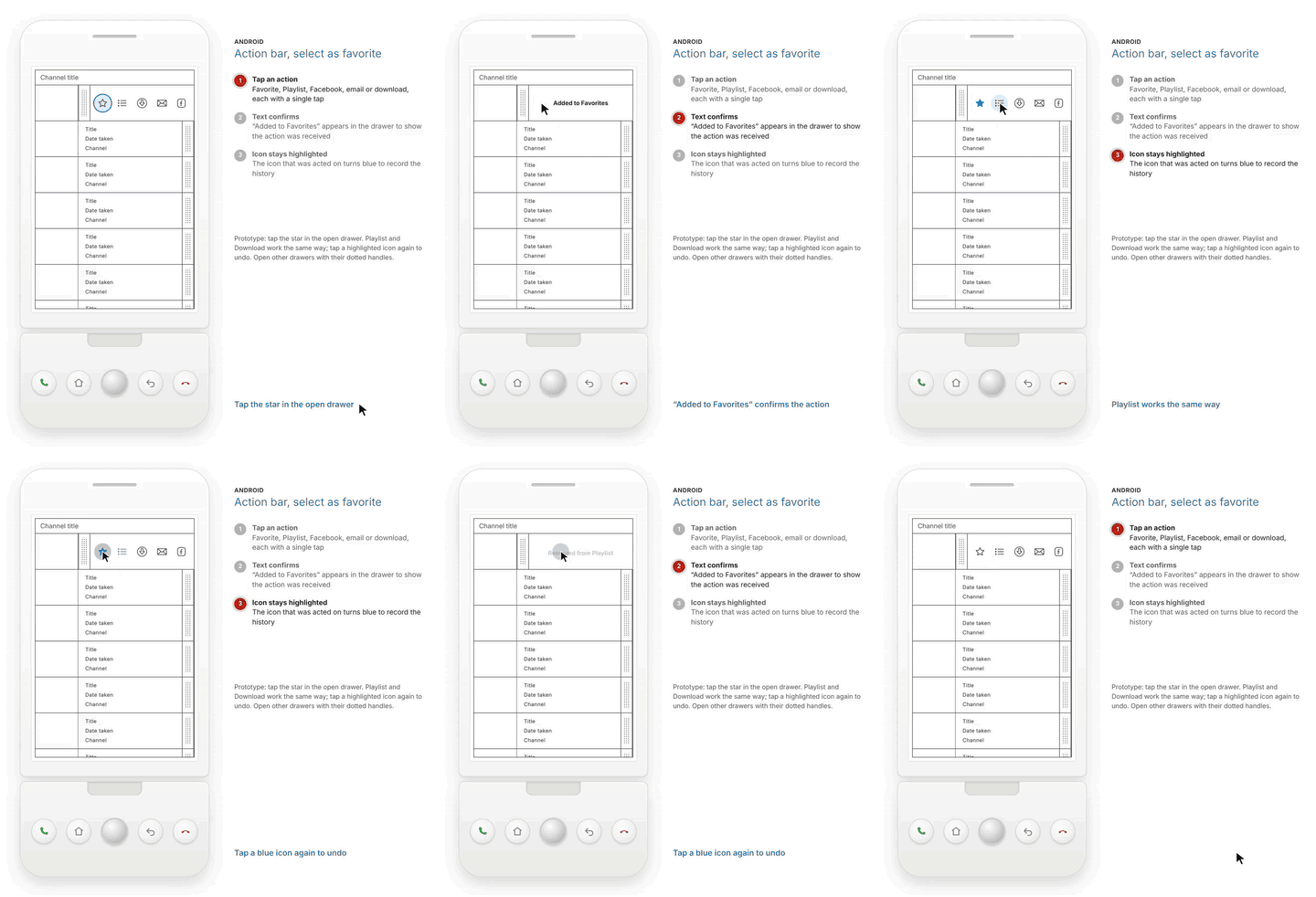
I designed a new slide feature with the engineers at Flip that did not exist before. An action bar slides open from a handle on each video in a channel, so every action is one tap away. Completing the interaction, a confirmation such as "Added to Favorites" appears in the drawer.
Tap and hold
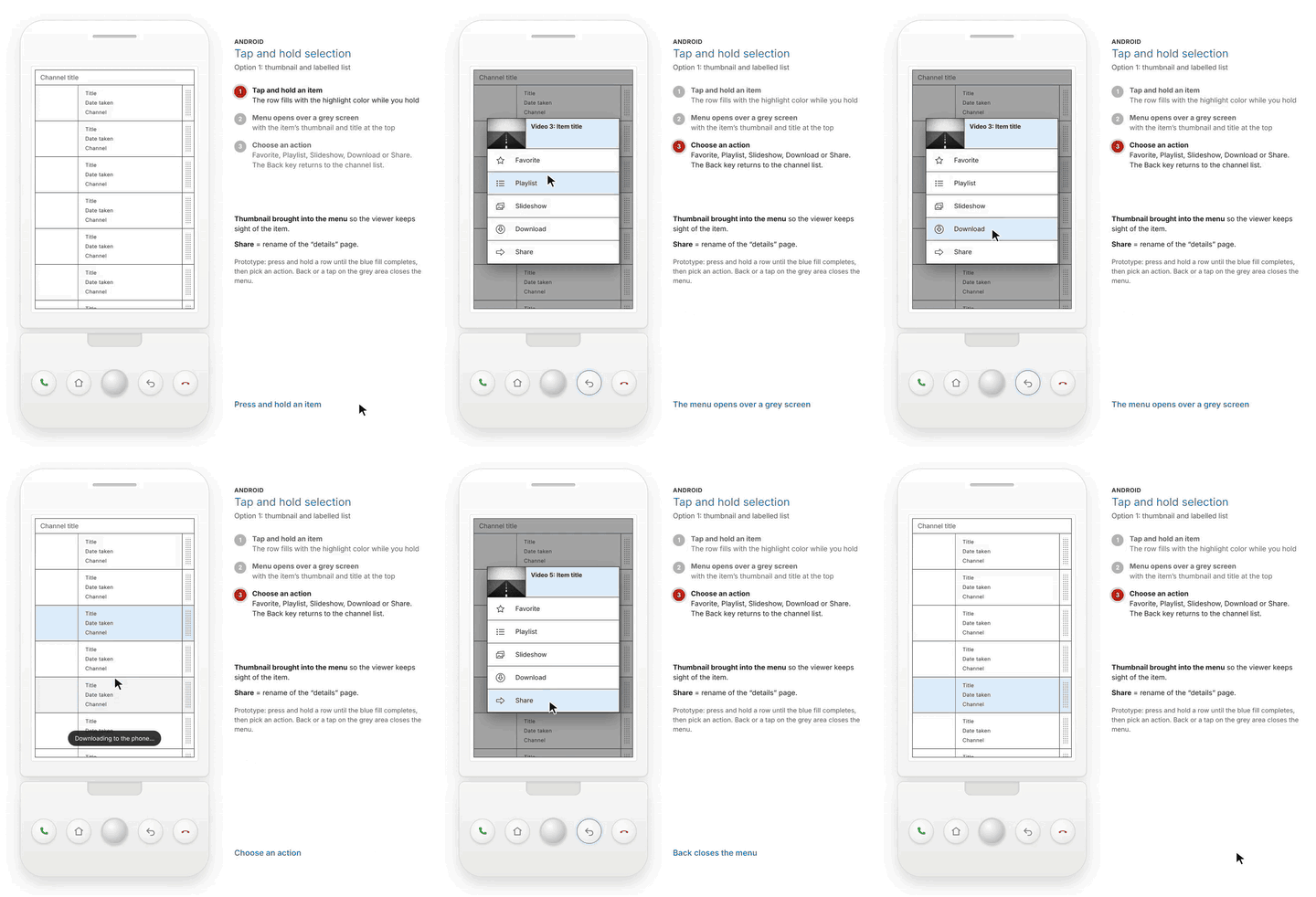
Tapping and holding a video opens a menu over a grey screen with the video's thumbnail and title at the top, so the viewer keeps sight of the item. The menu offers Favorite, Playlist, Slideshow, Download, and Share, and the Back key returns to the channel list.
Viewing photos and video
During video playback, an overlay holds the play controls, share, and mark buttons, so every action lives in one place. I surveyed the video player landscape to identify new icons for the progress bar, forward, back, and play.
Cut my teeth on the Android phone
I enjoy learning about new domains and wrapping my brain around their intricacies. It was great to work with the Principal Designer while learning how aspects of the software worked. Documenting while building features is a practice that benefits the team. Later that year, Cisco acquired Flip and canceled its projects.